
UCaaS (unified Communications as a Service

Fusion Nexus

Fusion Mobile Communications Work from Anywhere solution is the best of both worlds. It offers the latest in Voice over IP (VoIP) Unified Communications (UC) and Collaboration features, so you can stay connected and productive no matter where you are.

Fusion Nexus has been designed to deliver the best customer experience across any device. You can use your mobile phone, tablet, laptop, or desktop computer to make and receive calls, send and receive messages, collaborate with colleagues and integrate with software such as Microsoft Teams.

Rethink workplaces

Video Collaboration and Team Messaging

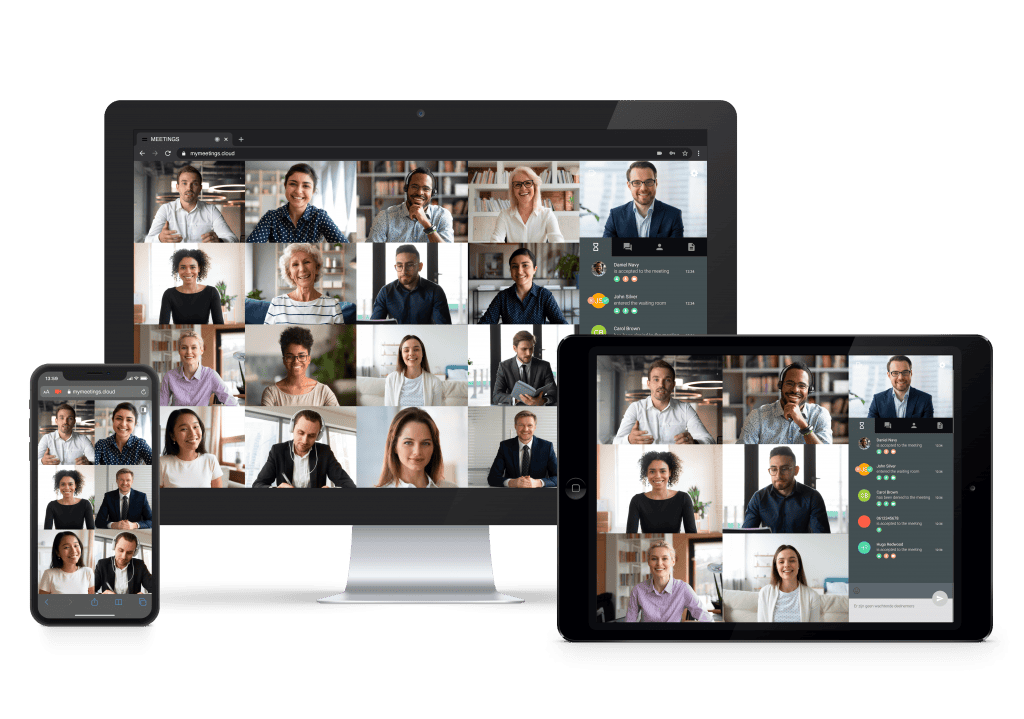
Video meetings are a great way to stay connected with your team and customers, even when you’re working remotely. Our video meeting platform is easy to use and doesn’t require any downloads or external software. Simply open the link in your browser or on your favourite device, and invite your colleagues and customers to join you in your own virtual meeting room.

Here are some of the features of our video meeting platform:

Our platform uses high-quality video and audio to ensure that you have a clear and engaging conversation with your colleagues and customers.

Our platform is easy to use, even for those who are not familiar with video conferencing.

Our platform can be accessed from any web browser, so you don’t need to download any software or plugins.

Our platform uses industry-standard security measures to protect your data.

Receptionist Console

Receptionist is an advanced attendant console that allows businesses of any size to offer receptionist services to their customers. It is available in web and stand-alone modes, and its intuitive interface makes it easy for receptionists to manage all business communications.

  • Web and stand-alone modes: Receptionist can be used in web mode, which is accessible from any web browser, or in stand-alone mode, which can be installed on a local computer.
  • Intuitive interface: Receptionist has an intuitive interface that makes it easy for receptionists to use.
  • Manages all business communications: Receptionist can be used to manage all business communications, including incoming calls, outgoing calls, and voicemails.

Partnering with Leading Hardware Manufacturers

Fusion Telecoms partners with leading hardware manufacturers to provide a wide range of certified phones. These phones are supported with automatic provisioning and regular updates. Some of the leading brands include Yealink, Cisco Poly, Panasonic, Htek, and Snom.

In addition to these certified phones, we can support many generic SIP-compliant devices.

Here are some of the benefits of using certified phones with the Fusion platform:

  • Automatic provisioning: Certified phones are automatically provisioned with the Fusion platform, which saves time and effort.
  • Regular updates: Certified phones are regularly updated with the latest firmware and security patches, which helps to keep your business secure.
  • Wide range of options: The Fusion platform supports a wide range of certified phones, so you can choose the right phone for your needs.
Tech specs

Key Features

Dialling Functions

  • Call Barring
  • Caller ID
  • Outgoing ID selection

Forwarding filters - Presence Based

  • Presence Based Rules
  • Rule Filter management by condition
  • Call Forwarding

IVR Rules

  • Welcome Auto-Attendant
  • Call Queuing
  • Call Screening
  • Virtual Secretary
  • Voicemail
  • Call back on Busy / No-answer
  • Black-lists / White-lists

Directory & Contact Management

  • Corporate group Directory
  • Individual Contacts
  • Shared contacts
  • Private contacts
  • Favourite contacts
  • Integration API for external directory

Presence Management

  • Presence – Telephony presence
  • Presence – User Presence
  • Presence Based forwarding rules

Call Control

  • Intercom
  • Voice Continuity between devices
  • Call Pickup
  • Monitor / Barge in
  • 3-way conference
  • Hold
  • Transfer & VIP Transfer
  • Call Waiting
  • DND
  • Call Park
  • Activate / de-activate Call Recording

User phone types (terminals)

  • Mobile Softphone integration
  • Phone Manager desktop with softphone 
  • Desk or DECT Phone
  • Hot-desking
  • Remote terminal

Advanced Group Services

  • Extension Groups
  • Paging Group

Receptionist Console

  • Switchboard interface for receptionist agent

Call Recording

  • User triggered recording (standard)
  • Systematic administrator managed (optional)

Conferencing

  • Integrations with Zoom/Teams
  • Conference bridge connect by conference call

Unified Messaging

  • Instant messaging (internal company chat) 
  • Voicemail notification to Email

Phone Manager & Collaboration

  • Control all your communications needs
  • Windows, Mac & Linux desktop versions available
  • Over 30 integrations incl. a native SalesForce™ integration
  • Instant Messaging
  • Corporate directory
  • Presence and call-based presence
  • Leave a voicemail for user
  • Outlook contacts import
  • Click to call from everywhere
  • CLI Management
  • Collaboration and video-conferencing
  • UCC connect express
  • UCC connect CRM 
  • Call control integration